Blog Posts

Science World Building Model Lighting

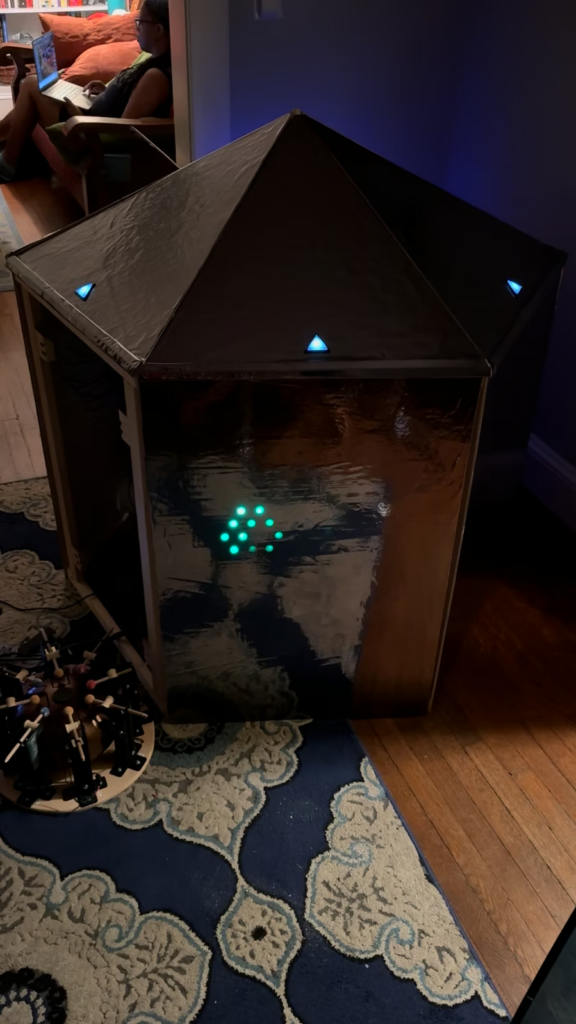
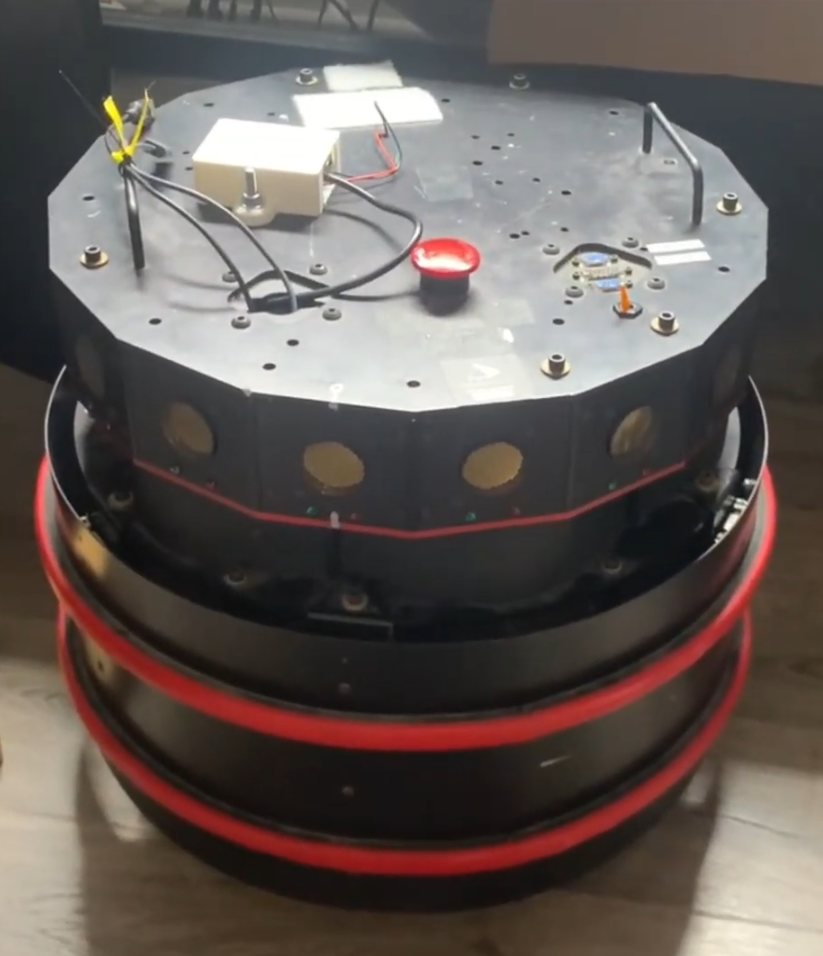
OH! is a sculpture created by PJRC forum member brendanmatkin and the Tangible team, which controls the lights on the Telus World of Science’s geodesic dome.

Based on the Teensy 3.5, OH! is a 1:60 scale model of the building, covered with 240 sensors, and connected to its full-scale counterpart by an LTE router.

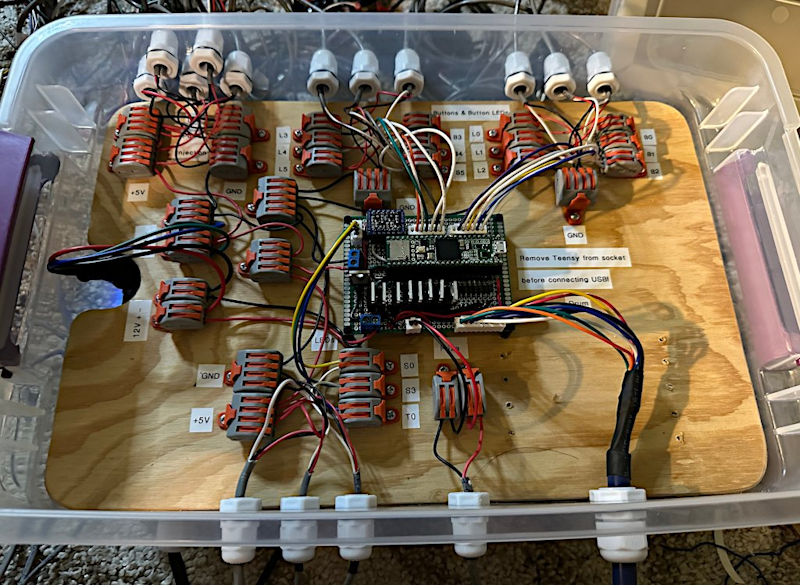
When the sensors are interacted with, the corresponding light on the “real” dome is illuminated with various animations, such as sparkles, bands, and waves. PCA9617 I2C bus repeaters connect the 240 sensors, with a WIZ820 network module providing Ethernet. The Teensy also outputs an OSC signal on the LAN for the remote laptop to turn into music via Pure Data. Each sensor features an ATtiny841 microcontroller, an LED, and an IR sensor. Marvel as the Vancouver public animates the skyline with their very own hands in the video below.

Drone Synth with Soundfonts

After several years of experimentation, PJRC forum user JonathanZ has released a Teensy 4.1-based drone synth pedal using S. Christian Collins’ GeneralUser GS SoundFont bank.

Built around the Teensy Audio Adaptor Board and a 2.8″ ILI9341 touchscreen, the project leverages Kris Kasprzak’s Slider Controls for Touchscreen Displays library for its UI. manicken’s Sound Font Decoder for Teensy 4.1 also facilitated the project greatly. Source code for the ISO-Drone, as Jonathan calls it, can be found on GitHub, and an overview of its features and functionality can be seen in the video below.

DIY Handheld CNC Router

When most people think of CNC machines, they think of big, loud, messy, somewhat dangerous tools that take up a large amount of space. Traditional woodworking tools are often far smaller and more maneuverable, but lack the precision of Computer Numerical Control.

Cam Chaney’s open-source Compass handheld CNC router combines the fidelity of CNC with the flexibility of a hand tool that traverses the workpiece under human guidance. Four PMW3360DM optical gaming navigation (mouse) chips feed their data into a Teensy 4.1, which uses rigid body dynamics equations to determine the precise location and orientation of the attached Dremel rotary tool, continually autocorrecting the cut. This allows the use of traditional CAD/CAM software, with the added flexibility of being able to drag the device around walls, or other surfaces that would not usually find themselves on a CNC machine bed (plus, no need to worry about jigs/workholding!). More information is available on the Compass web site.

NASA Loves Teensy

PJRC forum member dukeblue219 has shared a retrospective of NASA’s use of Teensy boards over the past six years.

Starting with the Teensy 3.1 testing planar NAND flash at the Lawrence Berkeley National Lab, its many uses have most recently included facilitating research with an 8 Tb, 96-layer 3D NAND flash via a Teensy 4.1.

Generally, devices are used for fun NASA-type evaluations such as testing for “single-event upsets” (a flipped bit), “single-event functional interrupts” (a crash) or “single-event latch-up” when radiation completely short-circuits a component. More examples and pictures can be seen in the original thread.

DIY Thermocam

Thermal imaging is another one of those technologies that seemed out of reach not so long ago, almost the realm of science fiction as in 1987’s Predator, where a Forward Looking Infrared (FLIR) camera is used for the titular extraterrestrial’s vision.

But as with so much other tech, access to infrared thermography has been democratized over time, with a great example being the Teensy 4.1-based DIY-Thermocam V3. In addition to a 3.2″ TFT LCD touchscreen and mass storage device capabilities for image transfer, the DIY-Thermocam V3 can even stream thermal images over USB serial. The software’s already extensive capabilities can be extended even further thanks to open-source, PlatformIO-based firmware. Images are saved to the internal microSD care at a resolution of up to 640×480, with 18 different color schemes. A 2000mAh battery allows 4-6 hours of operation. Find out more on the DIY-Thermocam web site.

Teensyduino 1.60 Released

Teensy software 1.60 has been released. Arduino IDE 2 should automatically detect the new version and give a single click update.

For Arduino IDE 1.8.x, you must download and run the special installer.

In this article we’ll take a quick look at the new features and many bug fixes and small improvements 1.60 brings.

16MB PSRAM Chip

The new 16MB PSRAM chip available from ProtoSupplies (full part number IS66WVS16M8FBLL-104NLI) is now officially supported. Previously only an 8MB chip was supported.

You can solder 1 or 2 of these 16MB chips to the bottom side of Teensy 4.1 to expand its memory. ProtoSupplies also sells Teensy 4.1 with these chips soldered.

Larger PSRAM memory is particularly useful for polyphonic sample-based musical synthesis (demo video) and fast data logging applications which need a large buffer to deal with ongoing data collection while experiencing SD card or network latency.

The default clock speed for external memory is also increased by 1.60, so either 8MB or 16MB chips will perform faster than with prior versions.

Jonathan Oakley deserves credit for much of the work to support this new chip.

Lockable Teensy in Arduino IDE 2

Using Lockable Teensy involves running 3 programs to initialize the hardware with your encryption key. Once initialized, it can be used as normal where all programming is done with encrypted .ehex rather than a normal .hex file.

Generating the initialization programs previously required using Arduino 1.8.19, or command line utilities, because Arduino 2.x.x doesn’t support the Java-based plugins from older Arduino IDE.

Version 1.60 brings this plugin to Arduino IDE 2.x.x using the Typescript plugin system.

One unfortunate side effect is an empty “Teensy 4 Security” menu appears. This is a bug Arduino IDE 2 inherits from Theia IDE. It has been assigned Arduino IDE issue #2848. Hopefully future Arduino IDE will fix this issue.

Wire Slave Mode on Teensy 4

Wire slave mode, where Teensy acts as a I2C peripheral, has been improved.

A common I2C usage is a write transaction followed by a read transaction which uses repeated start, so the entire write-then-read operation is a single usage of the I2C bus. Previously the onReceive() and onRequest() functions would be called in the wrong order. 1.60 fixes handling of repeated start, so onReceive() is called first, which allows your program to make use of the info received when onRequest() is called.

Slave mode now uses a glitch filter which prevents noise coupled to the SDA and SCL lines from disrupting communication. This problem was discovered by an application transmitting digital audio data and I2C control between boards, where the audio clock signal could interfere.

Use of Teensy 4.x in as an I2C slave device should be more reliable with version 1.60.

SoftwareSerial on Teensy 4 and Teensy 3

SoftwareSerial is finally fully supported on all Teensy boards.

For new projects on Teensy 4, you can achieve many more serial ports with FlexIO_t4 FlexSerial which creates more ports with hardware-based FlexIO. SoftwareSerial support is mainly meant for compatibility with Arduino sketches written for Arduino Uno.

Previously on Teensy 3 and Teensy 4, SoftwareSerial was just a thin abstraction which used real hardware serial ports. It only worked if you chose the pins of an actual serial port. This allowed programs written for Arduino Uno to work with only minor edit and choosing different pins. Now those program can work “out of the box”.

The new implementation on Teensy 3 and Teensy 4 uses pin and timer interrupts to receive, so it doesn’t block the CPU for other interrupts like SoftwareSerial on most other boards. 10 interrupts per received byte is less efficient than only 1 with FlexSerial or less with regular serial which uses a hardware FIFO, but a huge improvement compared to blocking all interrupts for the duration of the incoming byte.

USB Keyboard NKRO

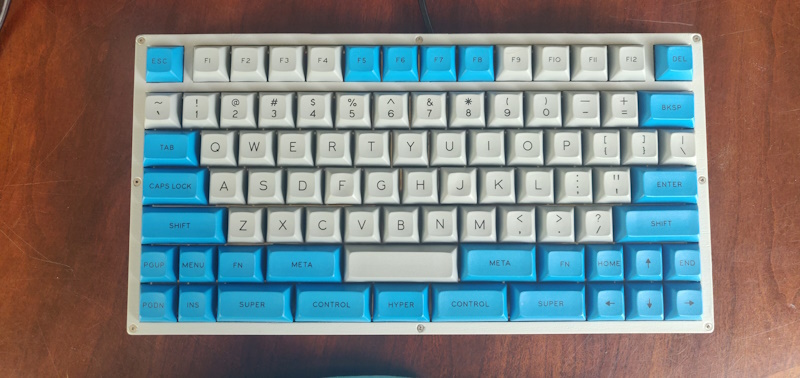
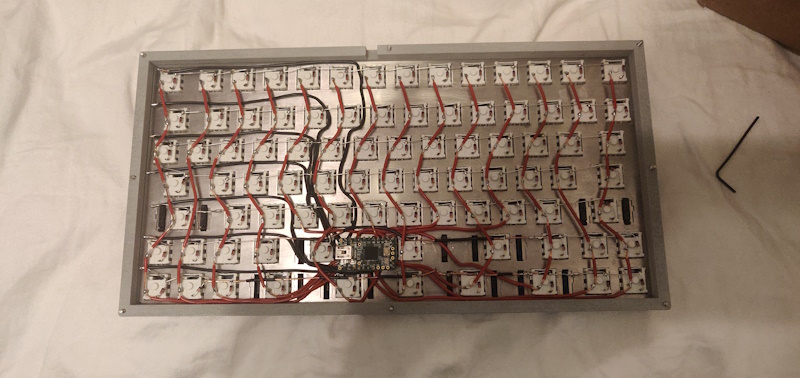
Teensy USB Keyboard mode can now support all-keys NKRO communication to your PC.

Traditional 6 key mode is still the default, for maximum compatibility with PC bios and KVM switches. To enable NKRO mode, you must edit usb_desc.h within the core library. Simply change KEYBOARD_SIZE to 16 for all-keys NKRO.

NKRO mode uses 1 bit for every key, so any combination of any number of keys may be pressed simultaneously. This can be useful for controlling music synthesis software and video games.

Bug Fixes and Updates

  • HardwareSerial XBAR pins 7, 8, 36 on Teensy 4 fixed thanks to KurtE
  • HardwareSerial receive with setRX fixed on Teensy 4 thanks to sndsgd
  • HardwareSerial serialEvent fixed on Teensy 3
  • digitalWriteFast() now check for valid pin number in non-const pin case
  • Fix extmem_realloc with NULL on Teensy 4.1
  • Fix __SSAT return type
  • FS class now has virtual destructor
  • Audio fix TDM2 input and output thanks to Jonathan Oakley
  • Audio fix stuck AudioEffectFade with no input thanks to Jonathan Oakley
  • Audio fix AudioEffectFreeverbStereo thanks to Synvox
  • Audio fix AudioSynthToneSweep buffer overflow thanks to Steven Hazel
  • Audio improve AudioEffectReverb thanks to Eric Brombaugh
  • Audio fix for Teensy LC code thanks to Mark Tillotson
  • Teensy Loader waits longer for large flash erase
  • Suppress pointless C++ ABI warnings
  • Fix erroneous “Teensy should be selected from teensy ports” message
  • Audio effect envelope: don’t re-start release if noteOff() called, thanks to Jonathan Oakley
  • Audio effect granular: add guard macros, thanks to Jonathan Oakley
  • Audio effect reverb: fix reverb cut off when incoming data stops, thanks to Jonathan Oakley
  • Improve Teensy Loader toolbar icons on Windows
  • Fix Teensy Loader toolbar on MacOS
  • SD Improve SDIO media presence detection
  • SdFat SPI driver avoid 512 byte stack usage, thanks to KurtE
  • LittleFS update Fujitsu FRAM, thanks to mjs513
  • SerialFlash fix use of alternate SPI ports, thanks to KurtE
  • ST7735_t3 support 320×480, thanks to KurtE
  • ST7735_t3 fix colors with setRotation(2), thanks to Jonathan Oakley
  • USBHost_t36 KeyboardController delete debug messages, thanks to Tristan Rowley
  • Fix DMA TCD copy out of order by compiler optimization, thanks to jmarsh
  • FS class and LittleFS use constexpr constructor
  • Improve PLL PFD setup, hopefully fixes weird crashes, removes need for startup hacks
  • Fix AudioMemory with optimize Smallest Code with LTO
  • DMAChannel default channel preemption settings
  • SdFat examples recommend at most 25 MHz for SPI
  • CrashReport minor changes to printed message, thanks to Shawn Silverman
  • USB Keyboard define GUI key names
  • USB MIDI receive return channel=0 for system messages
  • USBHost_t36: recover from device errors during enumeration
  • Libraries updated: ST7735_t3, FlexIO_t4, ILI9488_t3, LittleFS, QuadEncoder, ShiftPWM

Build Process and MacOS Support

The systems used to build Teensy software have been updated. Teensy Loader is now built with wxWidgets 3.2.6, rather than a variety of very old versions different to each operating system.

Much of this change was needed because of changes in application signing practices for Windows and MacOS. For Windows, code signing certificates are now issued only by hardware keys. For MacOS, Apple discontinued notarization from older versions of X-code, effectively blocking older Macs.

One unfortunate side effect is we had to discontinue supporting old Arduino IDE 1.8.x on MacOS. Teensyduino still full supports use of Arduino IDE 2.x.x on MacOS.

Support for Linux i686 (32 bit Intel X86) was also dropped.

While these changes drop support for old systems, the updated build process uses newer toolchains which should give better long-term support than the older software used to build all prior Teensy software.

3D Rendering

The PJRC forums are a great place to collaborate, share, and learn. It’s incredible to watch projects evolve and members learn from each other, and often even we are blown away with some of the things folks do with Teensy.

Case in point: JarkkoL’s port of their tiled software rasterizer. JarkkoL’s initial port targeted the ILI9341 LCD driver at 320x240x16 bits per pixel (bpp) via SPI, with 16bpp frame and depth buffers. Running on a Teensy 3.6, the rasterizer uses just 27kb of RAM, with 4,000 triangles stored in flash. As the thread unfolds over a little under two months, more and more enhancements are added, including asynchronous DMA transfer, cluster visibility culling, and texture support.

A port to Teensy LC was accomplished in just 8kb, and the Teensy 4.0 port pushed 16bpp updates at 49 frames per second. We hope to see these examples developed into a full library soon!

Constructive Synthesis Book

We have a lot of Teensy enthusiasts, especially in areas like audio synthesis, some with such passion and knowledge, you might say they could write a book on it. In the case of Ken Wessen, this is literally the case, in the form of the web-based book Constructive Synthesis.

In addition to comprehensive coverage of subtractive synthesis topics, the site also includes over 30 web apps that allow the reader to experience concepts first hand, as well as ten projects for the Teensy 4.0 + Audio Adaptor Board. The projects culminate in the creation of Mentor, a 16-voice polyphonic Teensy-based synth, optimized for learning subtractive synthesis and patch creation. Start learning how to make your own Teensy-based synth today, and be sure to let Ken know if you have feedback or suggestions!

ProtoTracer – 3D Rendering Engine

When games like Wolfenstein 3D debuted in the early 90s, their raycasted 3D graphics seemed like a dramatic leap forward compared to most side-scrolling games of the time.

Fast forward three decades, and most mobile phones have powerful 3D accelerators that make games from even a few years ago look unsophisticated. But PJRC forum member coelacant1 has brought back this classic software rendering technique with a custom rendering engine for the Teensy 4.0. Rather than rendering 3D objects on a monitor, coelacant1’s ProtoTracer is designed for use with LED matrices, such as those found in their own line of LED masks. Converters for 3D FBX and OBJ files, as well as 2D PNGs, BMPs, JPEGs and more allow the rendering and animation of numerous assets on arbitrary LED hardware. Source code and instructions, as well as links to the aforementioned conversion tools can all be found in the project’s GitHub repo.

Magic Dice Box

The annual YouTube Makers Secret Santa has resulted in all manner of creative and exciting projects being created as gifts between its high-profile participants, and 2024’s was no exception.

DJ Harrigan, aka Mr. Volt drew Crescent Shay, which was a fortuitous pick given that they are already friends who play Dungeons & Dragons together. This lead to the idea of a dice box, to hold and display Shay’s dice collection, but with an added Teensy 3.5-powered twist.

In addition to the “analog” dice tower to facilitate rolls, Harrigan incorporated a digital dice roller via an LCD screen and two rotary encoders. Sound effects are also played via a DAC and the Teensy’s mSD card. Lastly, the Teensy illuminates the analog dice storage area with LEDs for a little extra pizazz. See it all in action in the video below!